
Markdown editor
Syntax highlighting, live preview, and split-screen. Images, tables, code blocks, and math — written as files on disk.
Notefig turns a folder of markdown into a published docs site. Your team writes, commits, and every change can ship itself.
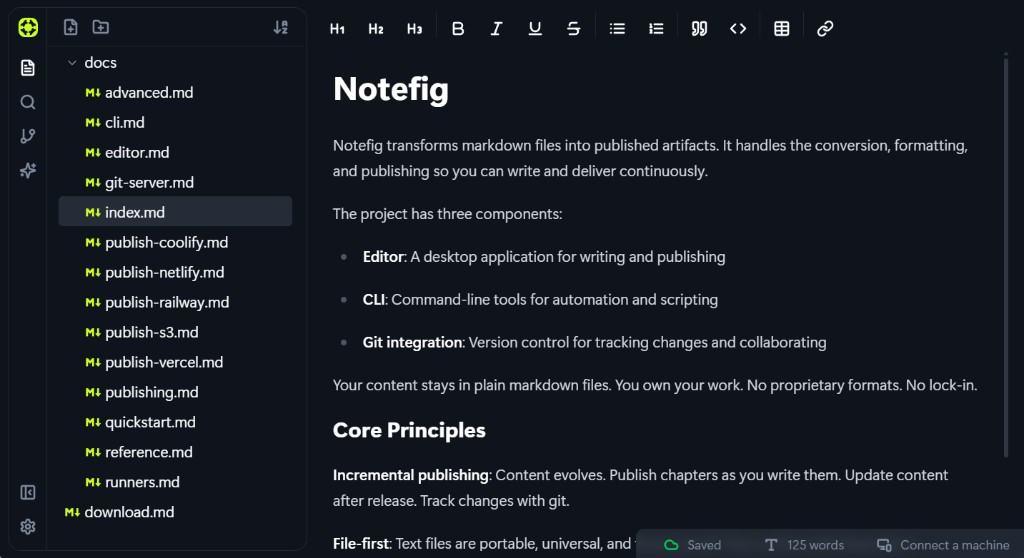
Notefig runs as a desktop app and in the browser. Both edit the same plain markdown files — the desktop app works against folders on your machine, the web app keeps a workspace in your browser.
Apple silicon and Intel, macOS 12 or later.
The app checks for updates on its own, so this is the only download you need.
Nothing to install: the web app is the same editor you are reading this in.
The CLI builds and publishes a folder of markdown. It is a separate install:
npm install -g notefigSee the CLI page for what it can do.
Not yet. The desktop app is built on Tauri, so both are on the way — the web app works everywhere in the meantime.
Search for a command to run...
Teams write product docs in markdown. Notefig turns that folder into a published docs site — and keeps shipping as the docs change.
Syntax highlighting, live preview, and split-screen. Images, tables, code blocks, and math — written as files on disk.
Plain markdown, no proprietary format, no lock-in. Your content stays portable no matter what you publish it as.
Connect GitHub, GitLab, or your own remote. The editor commits and syncs so the repo is always the docs.
Ship docs incrementally. Update after release. Content evolves; the published site follows the files.
Deploy to Vercel, Netlify, Railway, Coolify, or S3 from the editor. Notefig writes the host config, including vercel.json.
Create and switch between projects. Each project has its own git repository and publishing configuration.
Watch a folder of markdown and see the site as you write — in the editor or with the CLI dev server.
Connect the GitHub repo to Vercel (or Netlify) and every push rebuilds the docs. Set the workflow up once.
The CLI builds a static site with a theme you choose. Override theme and output per project or per command.
For developers
Watch a folder, build static files, deploy. Drop it in GitHub Actions the same way you run it locally.
npx notefig watch
npx notefig build
npx notefig publish vercel
The web app is the same editor. The desktop app talks to folders on your machine. Windows and Linux desktop are on the way.